What is GalleryPlanner Pro?
GalleryPlanner Pro adds Wall Objects, Premium Wall Textures, Whole-Wall Balance AI, Auto Level, Drag-to-Resize, B&W Photo Conversion, Pinned Auto-Layouts, Premium Starter Layouts, Premium Brand Frames, Multi-Project Editing, and print-ready hanging guides built for real installation days.
GalleryPlanner Pro is the paid tier for people who want Multi-Wall Projects, print-ready exports, install-day planning tools, and Multi-Project Editing. GalleryPlanner stays free for core planning forever, including Smart Fill and Auto-Layout.
Flexible Pro options. No subscription required. Choose a short Pro Pass (3-day, 7-day, or 30-day) or Lifetime Pro.
Free vs Pro at a Glance
| Feature | Free | Pro |
|---|---|---|
| Editable Projects | 1 | Multiple |
| Editable Walls per Project | 1 | Multiple |
| Duplicate Project | No | Yes |
| Export All Projects / Import Projects | One project at a time | Bulk backup and restore |
| Starter Layouts | Essentials, Organic, Architectural, Salon (61 layouts) | All free collections + Curated Finds, The Townhouse Collection, and Editorial Mix (44 Pro layouts; 105 total) |
| Brand Frame Presets | IKEA | IKEA + Pottery Barn, West Elm, CB2 |
| Pinned Auto-Layouts | No | Yes |
| Hanging Guide PDF | No | Yes |
| Shopping List Export | No | Yes |
| Print-Ready Photos | No | Yes |
| Snapshot Export | Watermarked JPEG | Lossless 4K PNG |
| Wall Backgrounds | Solid colors + starter textures | Full Premium Wall Textures collection + Custom Upload |
| Smart Fill Scoring | Frame-by-frame | Whole-Wall Balance |
| B&W Photo Conversion | No | Yes |
| Auto Level (one-click brightness, contrast, midtone) | No | Yes |
| Frame Drag-to-Resize | No | Yes |
| Wall Objects | No | Yes |
| Layout Zones | No | Yes |
| Advanced Photo Cropping | No | Yes |
Pro Features
📄 Hanging Guide
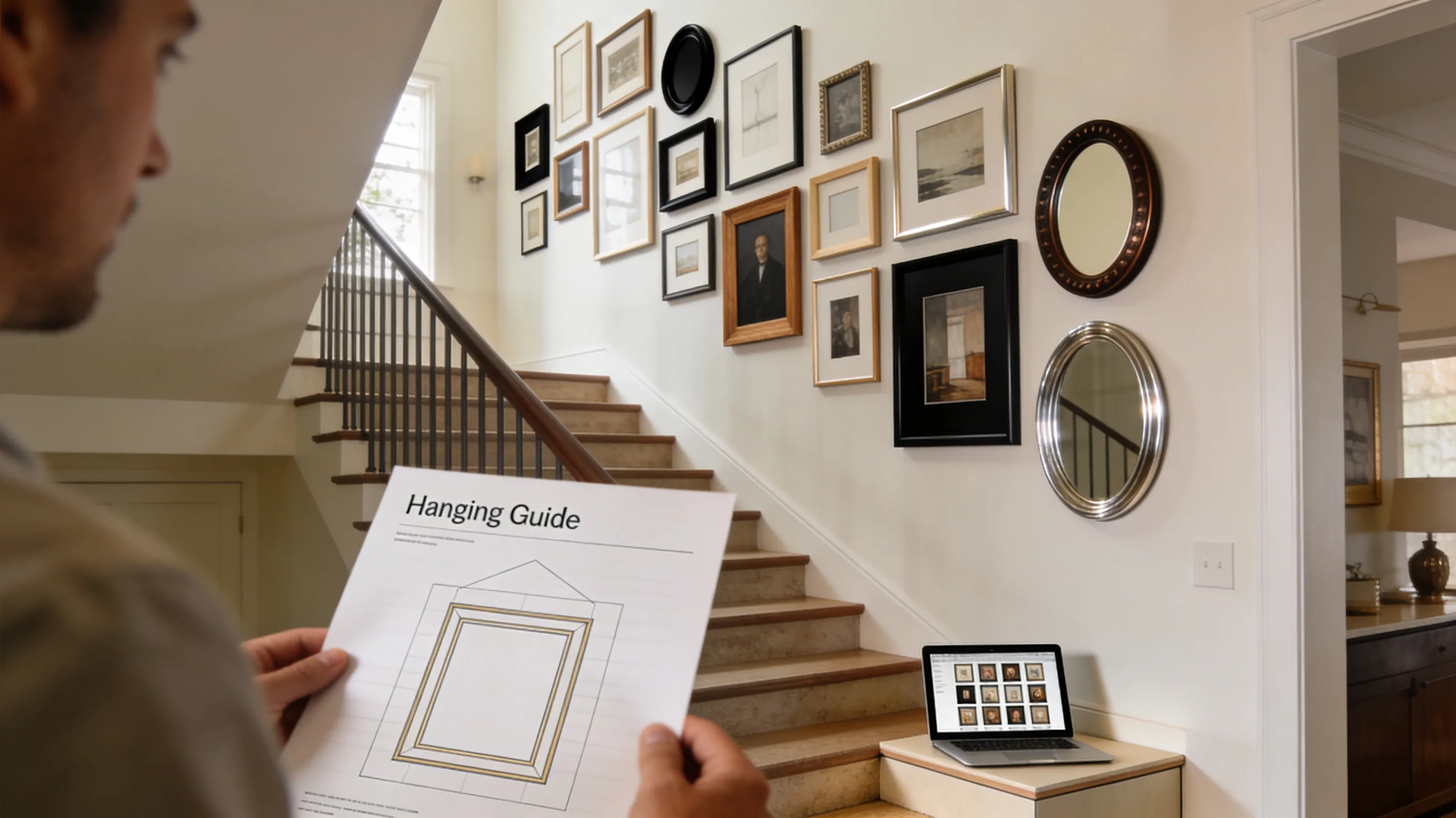
PDF Hanging Guides turn your finished layout into a clear, printable install plan:
- Exact measurements for each frame.
- Hang heights from the floor, measured to each frame’s center.
- Graph-paper schematic for spacing and alignment.
- Frame table with every size and label.
- Installer-friendly reference for the wall with tape and a level.
- Every wall covered — in a multi-wall project, each wall gets its own section of the guide.
Want to see the output format first? Open a sample Hanging Guide PDF.
✂️ Advanced Photo Cropping
Need a better crop than the default placement? Pro unlocks precision photo cropping so you can fine-tune the image inside the frame.
- Crop handles make it easier to adjust composition
- Zoom and pan let you move inside the frame without swapping the image
- Great for portraits where you want a stronger crop point
🎚️ Auto Level
Brightness, Contrast, and Midtone sliders are free for everyone. Pro adds Auto Level — a one-click tonal optimizer that analyzes each photo’s visible cropped region and sets all three sliders to a balanced, full-range exposure.
- One click per photo — find the Auto Level button in the Photo properties panel (desktop) or the Level Edit sheet (mobile)
- Crop-aware — only the visible region inside the frame is analyzed, so changing the crop changes the recommended level
- Non-destructive — the original photo is untouched; clear or re-adjust the sliders any time
🔲 Frame Drag-to-Resize
Pro turns any frame on your wall into a directly-resizable element via the floating selection toolbar.
- Select a single frame and toggle resize mode from the floating toolbar
- Drag any corner or edge handle to resize directly on the canvas, with snapping to alignment guides
- Works on desktop and mobile — same resize mode is available in the mobile floating toolbar
- Free tier can still edit width and height numerically in the Properties panel for custom frames
🎞️ B&W Photo Conversion
Thinking about a monochrome or “fine art” gallery but not ready to commit to reprinting anything? Pro adds a one-tap black-and-white toggle to any photo on the canvas.
- Non-destructive preview — your original photo stays untouched, toggle off to restore color
- Mix-and-match — flip individual portraits to B&W and leave the landscapes in color, or convert the whole wall to see how it reads
- Carries through to exports — the B&W choice shows up in 4K Snapshots and Print-Ready Photos exactly as previewed
📐 Layout Zones
Layout Zones let you reserve the usable part of a wall before Auto-Layout runs.
- Draw the usable wall region once and reuse it.
- Keep Auto-Layout inside the zone so frames stay within the area you set.
- Use it for furniture, vents, openings, and other constraints.
🧱 Wall Objects
Wall Objects give you a first-class way to mark what is actually on the wall - windows, doors, fireplaces, TVs, sofas, and more. On desktop, click Add Frame in the Frames panel and open the Objects tab; on mobile, tap Object in the Library sheet.
- Dedicated presets - twelve to choose from, so you add the object that matches the wall feature instead of faking it with a blank frame
- Obstacle-aware planning - Auto-Layout and Smart Fill work around Wall Objects automatically
- Recognizable exports - Wall Objects stay visible in the canvas and in install-day deliverables
📌 Pinned Auto-Layouts
Generate Auto-Layout options, then Pin the ones you want to keep so you can compare alternatives side-by-side without regenerating from scratch.
- Save a shortlist — pin any Auto-Layout option and it shows up in a Pinned Layouts carousel alongside fresh generations
- Switch between alternatives — click a pinned layout to apply it; click another to swap in a different arrangement without losing the first
- Smart stale badges — if your wall or frame inventory changes after pinning, Pinned Layouts warns you when the saved arrangement no longer fits cleanly instead of silently breaking
- A working-session shortlist — pins are kept on your device for the current browser session and clear when you switch projects or close the browser, so apply the winner before you wrap up
Free users can still generate Auto-Layouts and apply them; Pinning is the way to keep multiple strong options in play at once.
🗂️ Premium Starter Layouts
GalleryPlanner ships with 61 free Starter Layouts across Essentials, Organic, Architectural, and Salon collections. Pro unlocks 44 additional arrangements across three collections: Curated Finds, The Townhouse Collection, and Editorial Mix.
- Hand-picked compositions — the three Pro collections are drawn from curated Pinterest-worthy arrangements, with non-standard frame mixes and more sophisticated spacing than the free collections
- One-click application — scale the starter to your own frame sizes and drop it onto your wall, same as the free starters
- Great starting point — pair a Premium Starter Layout with Auto-Layout spacing tweaks for a polished finish quickly
🏷️ Premium Brand Frames
The Brands tab in Add Frames turns retailer catalogs into ready-to-place frames, with the real glass size, moulding width, and mat opening built in. IKEA presets are free for everyone. Pro adds Pottery Barn, West Elm, and CB2.
- Measured, not guessed — a Pottery Barn “9×11” Wood Gallery frame lands as the 9×11” outer over an 8×10 glass it really is, with both of its included mats as separate presets
- Anchor frames for a mixed wall — pair a few premium frames with a free IKEA grid and see the proportions before you spend
- Named in your exports — presets carry the brand and family name, so your Shopping List reads like a store list
Sizes come from each retailer’s published US specs and are for planning convenience only; GalleryPlanner isn’t affiliated with or endorsed by these brands.
⚖️ Whole-Wall Balance
Smart Fill is free and scores photos frame-by-frame. Pro adds Whole-Wall Balance, a composition layer that evaluates your wall as a single piece of art instead of just matching each frame individually.
- Color balance across the wall — avoids clumping all your warm-toned sunset shots on one side
- Composition diversity — mixes portraits with landscapes and detail shots so three identical close-ups don’t end up in a row
- Visual weight distribution — keeps the “heavy” images from anchoring one corner and throwing the layout off
- Score Breakdown modal (free for everyone) — tap any Smart Fill suggestion to see how it scored across composition, color, face detection, resolution, and — if you’re on Pro — Whole-Wall Balance
🎯 Center at Eye Level
Need a fast alignment baseline? Pro includes a one-click Center at Eye Level action that centers the selected layout around a standard eye-level target.
-
Defaults to 60” from the floor, or about 150 cm
-
Adjustable in Settings if you want a different standing eye-level target
-
Pairs with the Eye Level guide toggle so you can keep a visible baseline while you fine-tune the layout
-
Quick starting point for wall composition
-
Useful before fine-tuning spacing or moving individual frames
-
Works as a repeatable baseline when comparing alternate layouts
🎨 Premium Wall Textures
Your wall doesn’t have to be a blank white rectangle while you plan. Pro unlocks 15+ curated wall textures so you can preview your layout against the room it’s actually going into.
- Textures for every style — shiplap, exposed brick, light and dark oak paneling, sage green, raw concrete, museum white, warm terracotta, dark navy, white painted brick, and more
- Room scene backgrounds — preview your layout above a credenza, a bedroom headboard, or a dining-room table to get a real sense of scale and context
- Custom texture upload — snap a photo of your actual wall and plan against it, so you can see whether that cluster reads too busy over your wallpaper or paint color
- Stays private — custom uploads are stored locally in your browser, never sent to our servers
Free users can still pick any solid wall color. Premium Wall Textures are a Pro feature.
📸 4K Snapshot Export
Need a cleaner image for print, presentations, or sharing with clients? Pro unlocks the premium 4K snapshot export:
- 3840px output for sharper exports
- Lossless PNG format
- No GalleryPlanner watermark
Snapshots capture your whole workspace — in a multi-wall project, that means every wall in one image.
Free users still keep the standard snapshot export, which is a smaller JPEG with a watermark.
🏠 Multi-Wall Projects
Planning a hallway plus a staircase, or a whole room? Pro lets a single project hold more than one wall. Add, name, resize, and arrange as many walls as you want — they all share one photo library, so everything for the space stays together in one project.
- Add Wall right on the canvas — use the + Add Wall button next to your wall, or right-click (press and hold on mobile) on empty workspace
- One shared floor line — walls sit side by side in your workspace, so eye-level heights stay consistent across the room
- One photo library — Smart Fill skips photos you’ve already placed on another wall, so you don’t hang the same shot twice by accident (you can still place a photo on two walls manually if you want to)
- Wall-by-wall tools — Auto-Layout and Smart Fill run on the wall you’re working on; switch walls and run them again
- Exports cover every wall — the Hanging Guide gives each wall its own section, Print-Ready Photos are labeled by wall, and the Shopping List totals the whole project
Your first wall is always free. Adding a second wall (and beyond) requires Pro, and projects with more than one wall are view-only without it.
Want the full walkthrough? See our guide to planning multiple gallery walls in one project.
Multi-Wall Projects vs. Multi-Project Editing: Multi-Wall Projects puts several walls inside one project. Multi-Project Editing (below) lets you keep several separate projects open and editable at once. A bedroom with three walls is one multi-wall project; a bedroom project and a hallway project are two projects.
🗂️ Multi-Project Editing
Need to compare options, keep alternates, or work across several rooms? Pro unlocks editing across all loaded projects instead of limiting free users to one editable project at a time.
With Pro, you can:
- Keep multiple active projects without swapping your one free editable slot
- Load shared
.gwallfiles and continue editing them right away - Compare alternate layouts without flattening everything into a single project
Note: Pro unlocks editing across multiple projects. Putting several walls in the same project is Multi-Wall Projects, above.
📑 Duplicate Project
Want to try a different arrangement without losing the one you have? Duplicate Project makes a complete copy of your current project — every frame, photo, and wall setting carries over, no re-uploading.
- Desktop: open the Project menu in the top toolbar and choose Duplicate Project
- Mobile: tap the project name at the top to open the Project Switcher, then tap Duplicate
- The copy gets “(copy)” added to its name, so it’s easy to tell apart
- Great for comparing two versions of the same wall, or reusing a wall setup for another room
💾 Export All Projects & Import Projects
Your projects live in your browser, not the cloud — so backups matter. Pro adds bulk backup and restore, so you don’t have to export projects one at a time.
- Export All Projects saves every project as a
.gwallfile in one pass — on supported browsers, pick a folder and they all land there together - Import Projects brings a batch of
.gwallfiles back in as new projects — handy after switching computers or browsers - Desktop: open the Project menu and choose Export All Projects… or Import Projects…
- Mobile: tap the project name to open the Project Switcher, then use Export All Projects or Import Projects…
Everyone can still back up one project at a time with Export Project and Import Project — those stay free. GalleryPlanner also shows a periodic backup reminder; on Pro, its Back Up Projects button jumps straight into Export All Projects.
🖼️ Print-Ready Photos Export
Ready to order prints? Export your photos pre-cropped to match your frame dimensions in a high-resolution .zip file, with DPI calculations handled for you. In a multi-wall project, files are labeled by wall so you know exactly which print goes where.
📦 Export Bundle
Need multiple deliverables at once? Export Bundle lets you run your Pro exports together in one flow and remember your preferred selection on this device.
Note: Export Bundle is Pro because it runs multiple outputs together in one convenience flow.
Typical bundle options include:
- Hanging Guide
- Shopping List
- Print-Ready Photos
- 4K Snapshot
- Export Project
How to Buy
You can buy Pro either signed in or signed out:
- Signed in (recommended): In the app, click the “Upgrade to Pro” button in the top right and complete checkout for instant unlock.
- Signed out: Checkout is still allowed. After purchase, sign in or create an account with the same email used at checkout to claim Pro in-app.
Secure payment is handled by Lemon Squeezy. Pro access is linked to your account and syncs across signed-in devices.
Ready to Keep Planning?
Open GalleryPlanner and jump back into your current wall plan without forcing you into a specific tool first.
Launch GalleryPlanner