What is GalleryPlanner?
GalleryPlanner lets you plan your gallery wall in the browser - arrange frames, test spacing, and export a hanging guide so you drill once and get it right.
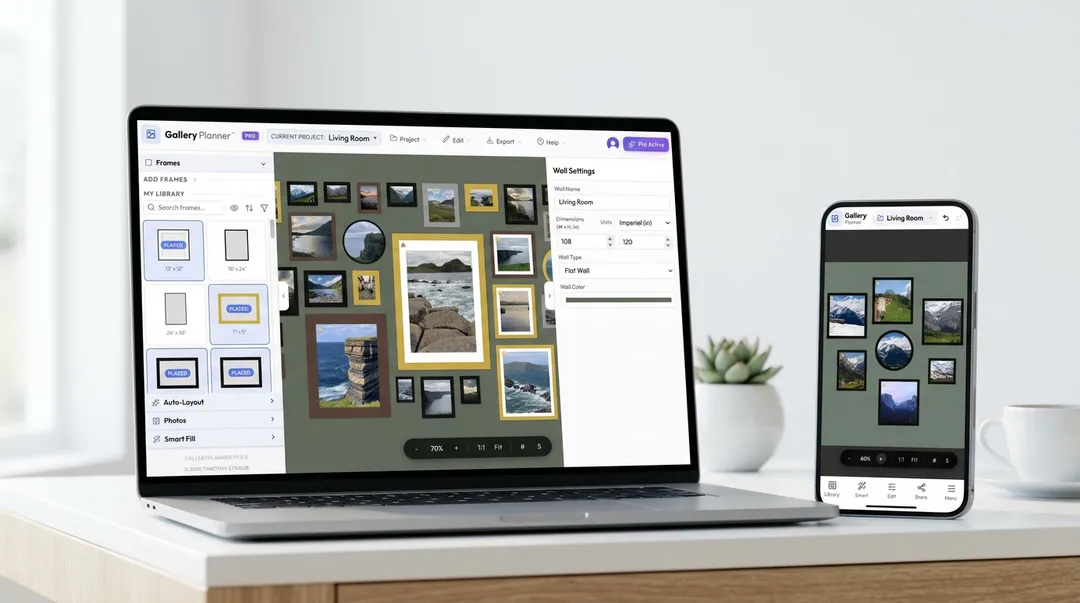
Who uses it
- Homeowners planning gallery walls with real frame sizes
- Renters who want fewer mistakes and fewer extra holes
- People planning around TVs, windows, sofas, and other wall fixtures
- DIY decorators who need measurements before install day
- Designers, artists, and photographers planning client walls
- Interior designers and decorators planning client walls
- Artists and photographers laying out exhibition or show displays
- Anyone shopping for frames who wants to plan before buying
- Anyone with a staircase wall or tricky space who can't afford trial and error
What makes it different
- Real-size planning in inches or centimeters
- Wall Objects: 12 presets for planning around windows, doors, fireplaces, TVs, sofas, and more
- Auto-Layout for fast arrangement ideas, with Shape and Included Frames controls
- Smart Fill for local photo matching in the browser
- Hanging Guide PDF export for install day
- Local-first storage so photos stay on your device
- Portable .gwall backups for moving between devices
- Staircase wall support for angled spaces
GalleryPlanner vs generic design tools
Generic design tools can help with moodboards and visual mockups, but they don't know what a frame is. GalleryPlanner is purpose-built for the physical install — from measuring to drilling:
| GalleryPlanner | Generic tools | |
|---|---|---|
| Real wall dimensions | Yes — inches or cm | Freeform canvas |
| Frame inventory tracking | Built in | Manual shapes |
| Wall objects on canvas | Wall Objects | Manual shapes |
| Auto-Layout algorithms | 6 styles | None |
| AI photo matching | Smart Fill (local) | None |
| Hanging guide with measurements | PDF export | Not available |
| Photo privacy | Never leaves device | Cloud upload |
Free vs Pro
Free core planning includes Auto-Layout and Smart Fill. Pro adds premium exports, multi-wall projects, multi-project editing, and advanced creative tools. See the full breakdown →
Start here
- Launch GalleryPlanner — start designing in your browser; Guided Setup can walk you through your first wall in five short steps
- Getting Started Guide — Your first wall in 5 minutes.
- Understanding Auto-Layout — How the layout algorithms work.
- Mastering Smart Fill — AI-powered photo selection.
- Help Center — FAQs, shortcuts, and troubleshooting.