AI Room Design Apps Compared: What They Can (and Can't) Do for Your Walls (2026)
A practical look at AI room design and virtual staging apps — MeltFlex, RoomLab, REimagineHome, Interior AI, Spacely AI, Decor8 AI, Apply Design, IKEA Kreativ, and more — and how far a beautiful render gets you toward a gallery wall you can actually hang.
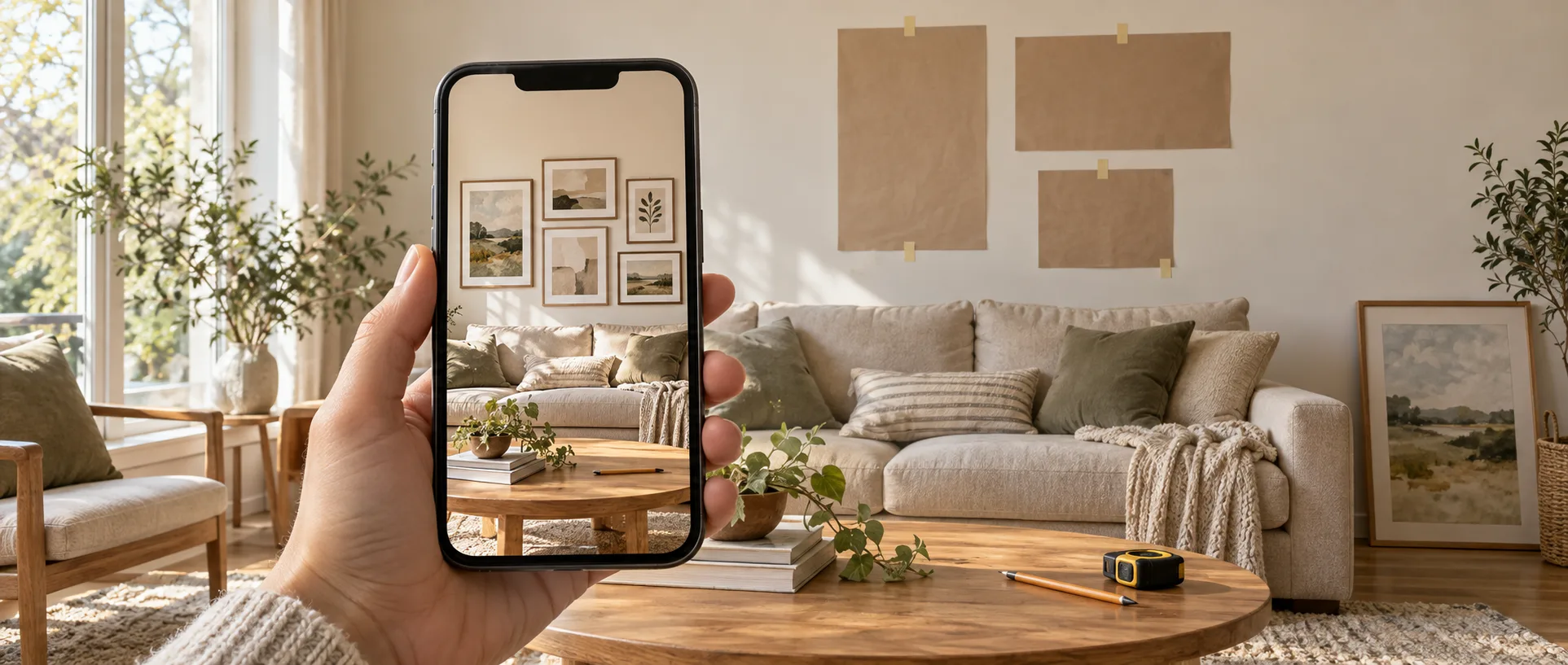
Upload a photo of your living room, pick “Japandi” or “warm modern,” and seconds later you’re looking at a room that could be in a magazine. AI room design apps are genuinely impressive, and there are now dozens of them.
This guide is a companion to our gallery wall planner comparison, where AI room renderers got one short section. Here we compare their published features, prices, and privacy policies, with a closer look at the question that matters if you’re decorating a wall: how much of that beautiful render can you actually reproduce?
We build GalleryPlanner, which is not an AI room renderer, so these apps aren’t really our competitors. We do have a point of view, though: a render is a great way to find a style and a poor way to decide where the nails go.
Prices and features below come from each company’s own website as of October 2026. They change often, so check before you buy. This is a comparison of published features and policies; we didn’t test every paid workflow.
Three Ways These Apps Work
“AI room design” covers tools that work in very different ways. Many apps mix more than one, but knowing which workflow you’re using tells you what to expect from it.
- Generative redesign — You upload a room photo, choose a style, and the AI paints a new version of the image. Fast and inspiring, but each render is a fresh guess. Interior AI, RoomGPT, and Decor8 AI all start here.
- Staging with editing — Still generative, but with tools to swap, remove, or refine individual items, and often links to real products you can buy. MeltFlex, RoomLab, REimagineHome, Collov AI, and Spacely AI lean this way.
- Placement — You put catalog items into your room yourself. You choose each item and where it goes. IKEA Kreativ, Apply Design’s DIY editor, Homestyler, and Planner 5D work like this.
The further down that list you go, the more control you have and the less the AI makes up.
The Quick Comparison
| App | Workflow | Platforms | Free to try | Paid plans from | Edit single items | Integrated shopping | Gallery wall tool |
|---|---|---|---|---|---|---|---|
| MeltFlex | Staging + editing | Web, iOS, Android | 1 demo render (watermarked) | $12.99/mo billed yearly | Limited | Yes (furniture) | Yes |
| RoomLab | Staging + editing | Web | 1 image | $15 one-time pack | Replace/edit modes | No (product reference photos only) | Not advertised |
| REimagineHome | Staging + editing | Web | 5 designs | $19/mo | Yes | Yes (Pro and up) | Not advertised |
| Interior AI | Generative redesign | Web | No | $29/mo billed yearly | Brush editing (Premium and up) | Not advertised | Not advertised |
| Spacely AI | Staging + editing | Web, SketchUp | 40 trial credits | $20/mo billed yearly | Yes | Not advertised | Not advertised |
| Decor8 AI | Generative redesign | Web, iOS, Android | Free trial (iOS app) | $14.99/mo | Prompt-based edits | Not advertised | Not advertised |
| Apply Design | Placement | Web | First image | $7–$10 per photo (DIY) | Yes (drag and drop) | No | Not advertised |
| IKEA Kreativ | Placement | IKEA app, web | Free | Free | Yes | Yes (IKEA only) | No (wall decor items only) |
“Gallery wall tool” means a feature built for arranging art or frames, not art that happens to appear in a generated room. “Not advertised” means we couldn’t find it on the company’s public pages.
What to Check Before You Trust a Render
AI room apps are judged by their best demo images. If you’re planning a wall, put them through a different test:
- Does the room stay your room? Generative models sometimes move windows, widen walls, or shift the ceiling line. Several apps now advertise “structure locks” for exactly this reason. Compare the render against your photo, not your memory of it.
- Is anything to scale? A frame that looks 24 inches wide in a render might really be 16 or 36. A photorealistic image on its own is not a measured hanging plan.
- Can you get the same thing twice? Regenerate the same prompt. If the frame arrangement changes every time, measure and plan the final layout separately.
- Can you use your own things? Check whether the tool accepts your own artwork and your real frame dimensions, not just generic or catalog pieces.
- What does a usable image cost? Free allowances and watermark rules vary. Count how many tries it takes to get something you like.
Use the render to compare looks, then check dimensions before you buy or hang anything.
Generative Redesign and Staging Apps
MeltFlex
MeltFlex redesigns a room photo in one of 25+ styles and furnishes it with real products from retailers like IKEA, Wayfair, West Elm, and Pottery Barn, with price comparison across stores. A budget control shapes what it picks.
It also has a dedicated Wall Art Visualizer for gallery walls: upload a photo of your wall, pick a layout (grid, salon, staircase, ledge, and several more), choose one to three artworks — your own or from their library — and a frame finish, and it renders the wall onto your photo.
Strengths:
- A gallery wall tool built into a full room design app.
- Shoppable furniture with cross-store price comparison.
- Advertises that it keeps your walls, windows, and architecture intact.
- Web plus iOS and Android apps.
Limitations:
- One free, watermarked design without an account. A free account adds 15 credits, enough for about one more render. After that, plans start at $12.99/month billed yearly, or $20.99 month to month.
- The gallery wall tool takes one to three artworks, and the layout you pick decides the frame count. It doesn’t offer controls for sizing or positioning individual frames.
- MeltFlex itself notes that a single photo can’t give you exact dimensions. Measure your wall and frames separately before hanging.
Best for: Seeing how a gallery wall style feels in your actual room, and shopping the furniture around it.
RoomLab
RoomLab (roomlab.app) is mainly a virtual staging tool: upload an ordinary photo of an empty or dated room and it comes back furnished in about 30 seconds. It also restyles rooms, swaps furniture and materials, enhances photos, and can turn SketchUp or Revit models into renders and video walkthroughs.
Strengths:
- Replace and Edit modes let you swap a sofa or a floor finish without redoing the whole room.
- Swap items using a reference image, or describe what you want in a natural-language prompt.
- Paint color previews with preset or custom colors.
- A $15 one-time Personal pack (about 15 images) if you don’t want a subscription. Pro is $20/month or $200/year. Prices change from time to time, so check RoomLab’s plans page.
Limitations:
- One free image.
- Built mostly for real estate agents and designers; nothing specific to wall art.
Best for: Agents and designers staging listing photos, and renovators who want material and paint swaps.
REimagineHome
REimagineHome redesigns and stages rooms (plus exteriors and landscaping) and can fill them with real products from retailers like West Elm, IKEA, Target, and Wayfair, with checkout through the retailer.
Strengths:
- Advertises a “Structural Lock” to keep walls, windows, and ceiling lines fixed.
- You can refine one item (“change the rug, not the bed”) without starting over.
- Five free designs, no credit card required, and the trial previews the full workflow.
- Batch uploads for multi-room projects.
Limitations:
- Among paid plans, real products, reference-photo guidance, and the conversational design flow start at Pro ($36/month). The $19/month Essential plan doesn’t include them.
- Its privacy policy lets the company use your uploads to train its own AI models unless you opt out (it says it won’t use them to train third-party foundation models without your opt-in).
- Wall art comes up only as something you can ask it to change; there’s no art or frame tool.
Best for: Homeowners who want to restyle a room and shop it in one place.
Interior AI
Interior AI, built by indie developer Pieter Levels, restyles interiors, exteriors, and gardens, stages empty rooms, and turns sketches and SketchUp screenshots into renders.
Strengths:
- 55+ styles and 30+ room types.
- A brush editor (Premium and up) to regenerate just one area of an image.
- Virtual Staging mode furnishes an empty room.
Limitations:
- No free tier: access starts after payment. Plans start at $29/month billed yearly ($349), or $49 month to month, and its FAQ says purchases are non-refundable.
- Mostly whole-image regeneration, with nothing specific to wall art.
Best for: Generating lots of style directions quickly, if you’re happy to pay up front.
Spacely AI
Spacely AI renders from room photos, sketches, or 3D models, with modes for realistic rendering, editing, lighting, and furnishing.
Strengths:
- A free plan with 40 trial credits, no card required, and watermark-free output.
- Edit and lighting modes for more control than one-shot restyling.
- Plugins for SketchUp and other design software, plus a team collaboration add-on on its Studio and Agency plans.
Limitations:
- Paid plans start at $25/month, or $20/month billed yearly.
- Nothing specific to wall art beyond what you can describe in a prompt.
Best for: Designers presenting concepts to clients. Its model-rendering and team tools are most useful if you already work in design software.
Decor8 AI
Decor8 AI restyles room photos in 56+ styles and adds virtual staging plus paint and cabinet color previews. A chat mode in the app lets you make incremental edits, such as adding or removing furniture.
Strengths:
- A flat $14.99/month for advertised unlimited redesigns — simple if you plan to experiment a lot.
- Web, iOS, and Android, with a free trial in the apps.
- Its privacy policy says your photos aren’t used for AI training without your explicit opt-in.
Limitations:
- Edits happen through prompts and specialized tools, not a measured drag-and-drop editor.
- No integrated shopping or wall art tools advertised.
Best for: High-volume experimentation on a budget.
Placement Tools
IKEA Kreativ
IKEA Kreativ uses AI differently from everything above. It doesn’t generate a new room. It scans or photographs your real room, can erase your existing furniture, and lets you place real IKEA products into the space. IKEA says items are sized to scale.
Strengths:
- Free.
- Real products, which IKEA says are shown at real scale, in your real room.
- Supports accessories and wall art from IKEA’s catalog.
- Scan your room in the IKEA app on devices with LiDAR, or upload a photo on the web.
Limitations:
- IKEA products only, and only what’s available in Kreativ’s catalog.
- Built for furnishing a room, not for arranging a multi-frame gallery wall.
Best for: Testing whether a specific IKEA sofa or shelf fits your room. If you’re hanging IKEA frames, our IKEA frame sizes guide has the exact dimensions.
Apply Design
Apply Design is a virtual staging service for real estate professionals. Its DIY editor lets you place, drag, rotate, and resize items from its furniture and decor catalog in a listing photo, with unlimited revisions.
Strengths:
- Hands-on control instead of repeated AI guesses.
- One-click AI decluttering.
- Your first image is free.
Limitations:
- Priced per photo with coins: DIY staging of a standard photo costs $7–$10, and one-click staging $10.50–$15, depending on how many coins you buy. 360° images cost more.
- Built mainly for real estate listing photos.
Best for: Agents and stagers who need dependable, editable results.
The Wider Field
There are many more tools in this space. A few you’ll run into:
- Havenly AI — Free room redesign with real, shoppable products from an online interior design service, plus the option to hand off to a human designer.
- RoomGPT — A photo-based room restyler. Its public homepage doesn’t list prices or a free allowance.
- Collov AI — Staging and editing for real estate, with furniture erasing and adding. From $19/month (60 photo credits); free trial output is watermarked.
- Virtual Staging AI — Fast staging for listing photos. From $16/month for six photos.
- Remodel AI — Interior, exterior, paint, and flooring tools with three free designs. A site at remodelai.co lists weekly billing ($6.99 to $14.99 a week), so read the plan before you subscribe.
- Homestyler and Planner 5D — Full 3D room planners with floor plans and furniture libraries, now with paid generative AI features.
- DecorAI and Vizualize AI — Newer tools that pitch AI gallery wall previews and layout generators specifically.
- ArtPlacer and Artrooms — Not room designers, but tools for artists presenting their artwork in styled room mockups.
Your Room Photos and These Apps
A photo of your living room shows a lot: your home’s layout, your belongings, sometimes family photos already on the wall. The generative services in this guide generally need you to upload that photo so their servers can process it. Placement and mockup tools can work differently. Either way, the policies are worth a look:
- Training: REimagineHome’s policy lets it train its own models on your uploads unless you opt out. MeltFlex and Decor8 AI say they won’t train on your photos without your explicit consent.
- Licenses: RoomLab’s and Interior AI’s terms grant them broad, perpetual licenses to what you upload and what they generate. That’s common legal language for AI services and doesn’t mean they publish your photos, but it’s broader than many people expect.
- Retention: It varies. Some apps keep projects until you delete them; others expire generated images automatically.
If that matters to you, read the policy for the feature you’re using, keep personal items out of frame, and delete your projects when you’re done. (For contrast, GalleryPlanner keeps your photos on your device — here’s how that works.)
Using an AI Render and a Planner Together
These apps are good at one part of decorating a wall: helping you figure out what you like. Here’s a workflow that uses them for that and hands off before measurements matter.
- Find the style. Run your room through one or two AI apps. Try a grid, a salon wall, a single statement piece, and notice what you keep coming back to. Our gallery wall styles guide gives you names for what you’re seeing.
- Measure the real wall. Width, height, and anything in the way: windows, outlets, light switches, the sofa below.
- Plan with your real frames. In GalleryPlanner, enter your wall and the frames you own or plan to buy. Choose an arrangement from Starter Layouts in the style you picked, or let Auto-Layout arrange your frames for you, and mark windows and outlets as Wall Objects (Pro) so the layout works around them.
- Hang it. Export a Hanging Guide (Pro) with every frame’s position and hang height, or follow our step-by-step hanging guide.
The render shows you what the wall could feel like. The plan tells you where the nails go.
How to Choose
| If you want… | Consider |
|---|---|
| A photorealistic preview of a gallery wall style | MeltFlex |
| To restyle a room and shop the furniture | REimagineHome, MeltFlex, Havenly AI |
| Lots of style ideas fast | Interior AI, Decor8 AI |
| Paint, floor, and material swaps | RoomLab, Remodel AI |
| Professional client presentations | Spacely AI |
| Real products placed at scale | IKEA Kreativ |
| Hand-placed staging for listing photos | Apply Design |
| A measured gallery wall plan you can hang from | GalleryPlanner, or see our planner comparison |
Ready to Keep Planning?
Open GalleryPlanner and jump back into your current wall plan without forcing you into a specific tool first.
Launch GalleryPlanner