Print Resolution Guide for Wall Art
Understand DPI, PPI, file size, and print dimensions so your gallery wall photos stay sharp, properly scaled, and ready for large-format printing without soft, blurry results.
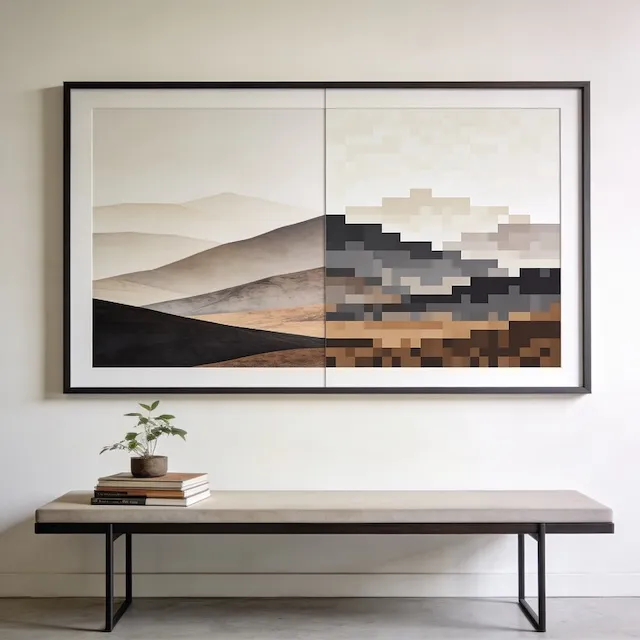
Gallery wall photos stay sharp in print when you match the file’s pixel dimensions to the final print size and keep enough resolution for the viewing distance. This guide shows you the quick way to judge whether an image is print-ready.
The Quick Answer
If you just want to know whether your photo is big enough, here’s the reference:
| Print Size | Minimum Pixels Needed | Target PPI | Lowest Acceptable (Red Alert) |
|---|---|---|---|
| 4×6” | 1200 × 1800 | ~300 PPI | < 150 PPI |
| 5×7” | 1500 × 2100 | ~300 PPI | < 150 PPI |
| 8×10” | 2400 × 3000 | ~300 PPI | < 150 PPI |
| 11×14” | 2750 × 3500 | ~250 PPI | < 125 PPI |
| 16×20” | 3200 × 4000 | ~200 PPI | < 100 PPI |
| 24×36” | 3600 × 5400 | ~150 PPI | < 100 PPI |
For most gallery walls viewed from 3-5 feet away, these minimums will look great.
What DPI Actually Means
DPI stands for “dots per inch”—literally how many tiny dots of ink your printer puts down in each inch of paper. The more dots, the more detail.
| Term | Meaning |
|---|---|
| PPI | Pixels Per Inch (your digital file) |
| DPI | Dots Per Inch (the printed output) |
You’ve probably heard “print at 300 DPI.” That rule made sense for magazines viewed up close. But gallery wall art gets viewed from several feet away, which changes everything.
How Viewing Distance Changes Everything
Think about it: a billboard looks fine from the highway but blurry up close. The same applies to gallery walls.
| Viewing Distance | Required DPI | Use Case |
|---|---|---|
| Arm’s length | 300 DPI | Small frames, publications |
| 3-5 feet | 200 DPI | Standard gallery walls |
| 5+ feet | 150 DPI | Large posters |
Key insight: Larger prints are viewed from farther away, so they need less DPI than small prints.
Can Your Photo Handle It?
Take your image dimensions and divide by the DPI to find max print size:
| Your Photo | Max @ 300 DPI | Max @ 200 DPI |
|---|---|---|
| 3000 × 4000 px | 10” × 13” | 15” × 20” |
| 4000 × 6000 px | 13” × 20” | 20” × 30” |
| 6000 × 8000 px | 20” × 27” | 30” × 40” |
Most modern phones capture plenty of resolution for standard gallery wall sizes:
| Camera | Typical Resolution | Max Print @ 200 DPI |
|---|---|---|
| iPhone 14/15 Pro | 4032 × 3024 | 20” × 15” |
| DSLR (24MP) | 6000 × 4000 | 30” × 20” |
| DSLR (45MP) | 8192 × 5464 | 41” × 27” |
The Social Media Problem
Here’s where many gallery walls go wrong: you can’t print from Instagram or Facebook.
| Source | Typical Resolution | Best Print Size |
|---|---|---|
| Instagram download | 1080 × 1080 | 3×3” or smaller |
| Facebook download | 2048 × varies | 5×7” or smaller |
| iCloud original | Full resolution | Depends on camera |
Social media platforms compress images aggressively. Always use the original file from your camera roll or backup.
What Low Resolution Looks Like
If you print a photo that’s too small:
| Issue | What It Looks Like |
|---|---|
| Pixelation | Visible squares on edges |
| Softness | Overall blur, no sharpness |
| Banding | Stripes in smooth gradients |
These problems can’t be fixed after printing—always check resolution first.
File Format Tips
| Format | Best For | Quality |
|---|---|---|
| TIFF | Professional printing | Lossless |
| JPEG (90%+) | Photos | Near-lossless |
| PNG | Graphics, screenshots | Lossless |
| HEIC | iPhone photos | Convert to JPEG first |
When exporting, use JPEG at high quality (90%+) for most photos. TIFF is overkill unless you’re printing fine art.
Print Services
| Service | Max Size | Notes |
|---|---|---|
| Costco Photo | 20×30” | Affordable |
| WHCC | 40×60” | Professional quality |
| Mpix | 30×45” | Pro-level |
| Local print shop | Varies | Personal service |
For gallery walls, Costco and Shutterfly offer good quality at accessible prices. WHCC and Mpix are what professional photographers use.
Ready to Work With Your Photos?
Open GalleryPlanner with photo tools ready so you can import images and design around real artwork.
Launch GalleryPlanner